Never play alone.
Meet Bezelie.
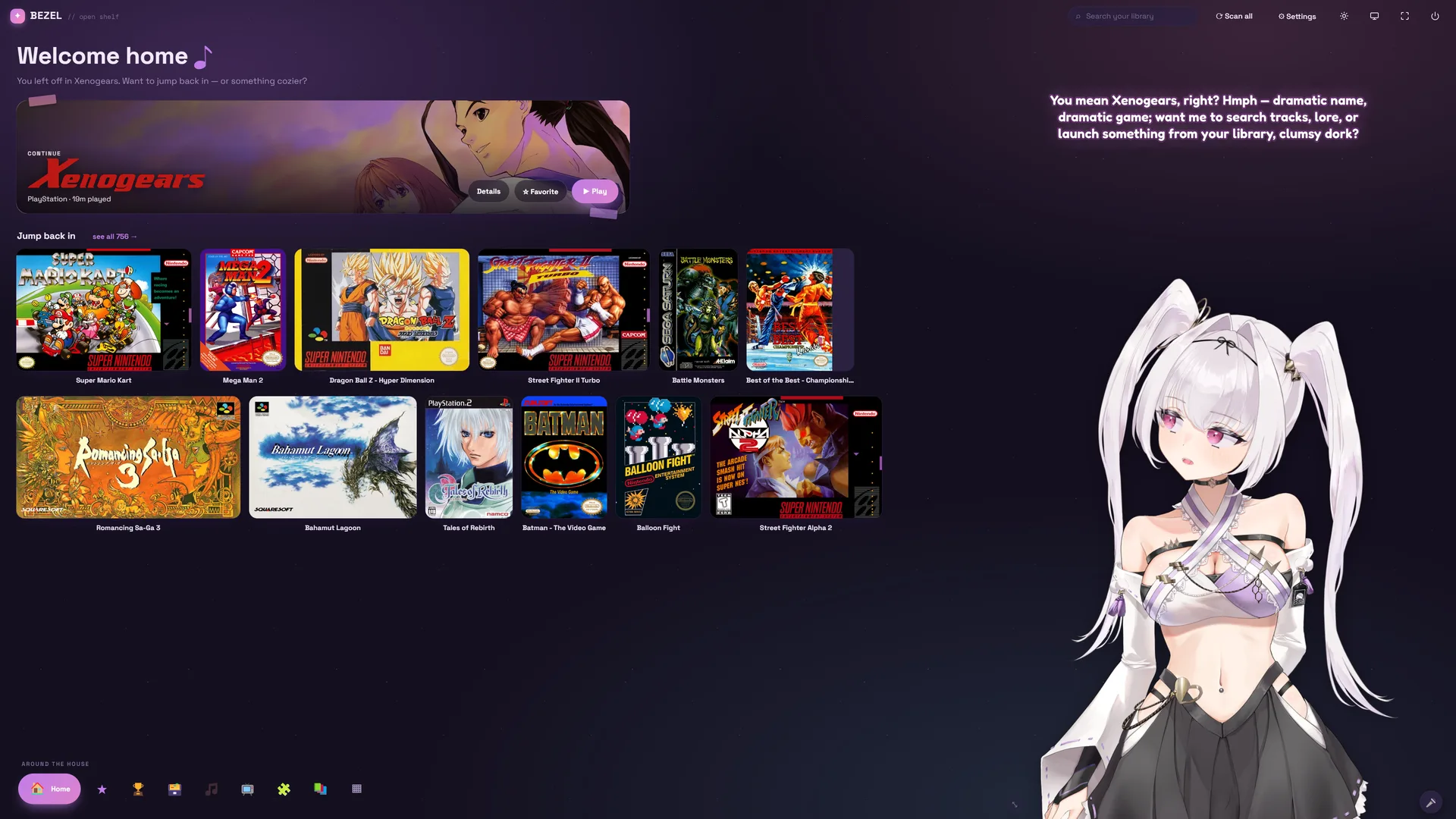
Bezel is the launcher for your whole retro collection — free on Windows, Mac, Linux and Steam Deck, with your games’ own music, your own discs and live translation built in — and a library that follows you from PC to Deck to Mac. And Bezelie is the companion who lives inside it: she watches you play, reacts out loud, remembers your runs — and when you get stuck, she’ll pick up the controller herself.
Free Beta · Windows, Mac & Steam Deck / Linux · bring your own game files — Bezel is the shelf.

A new look, and one library on every device.
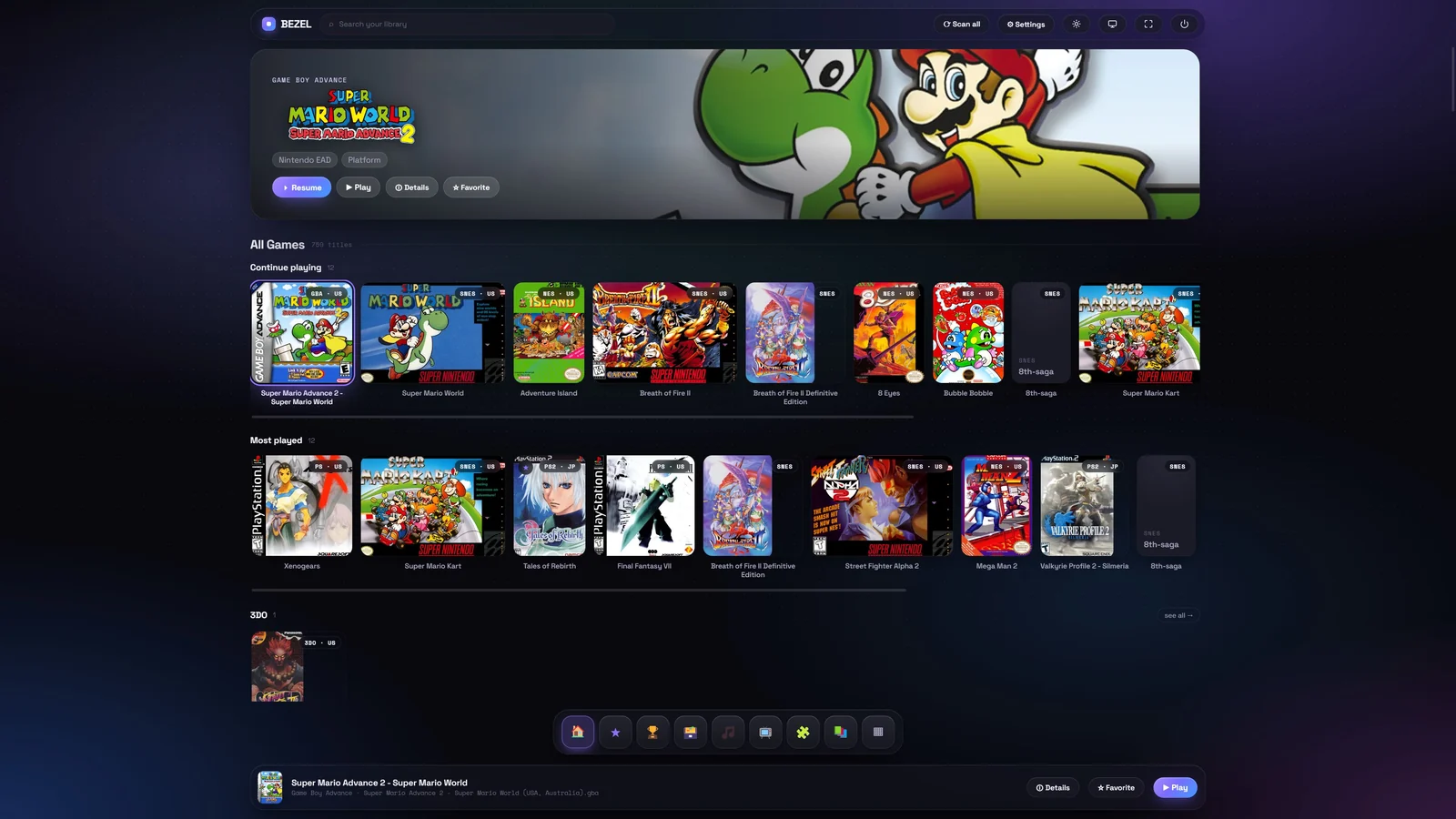
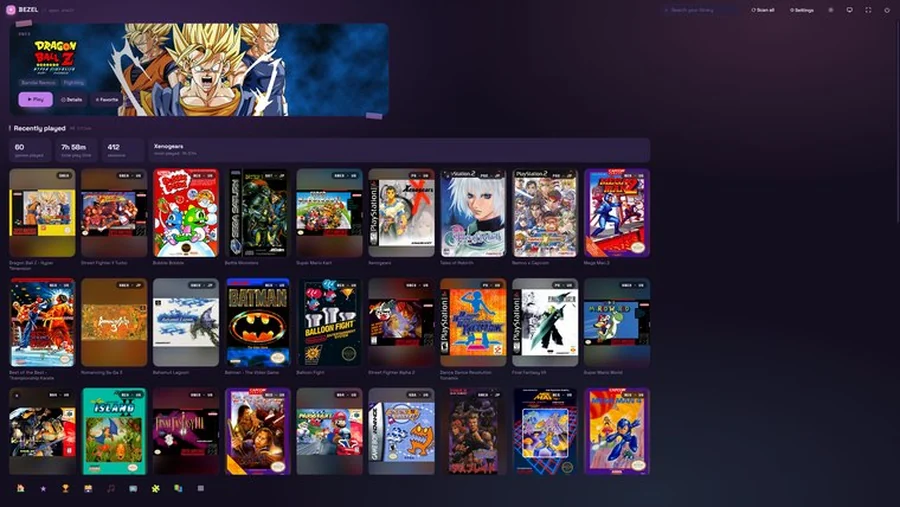
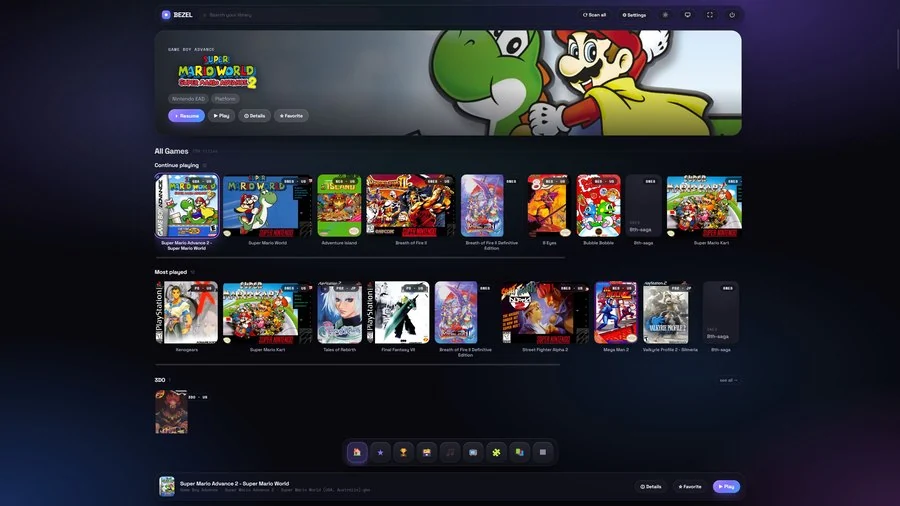
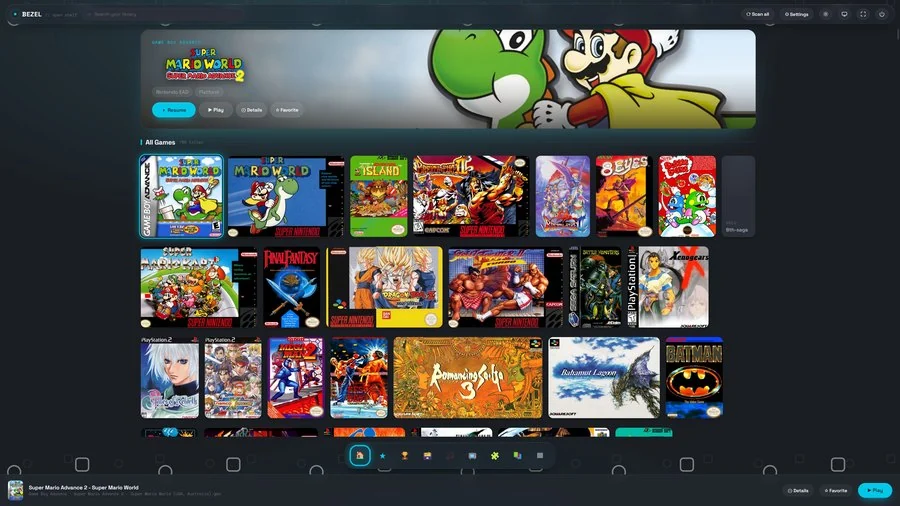
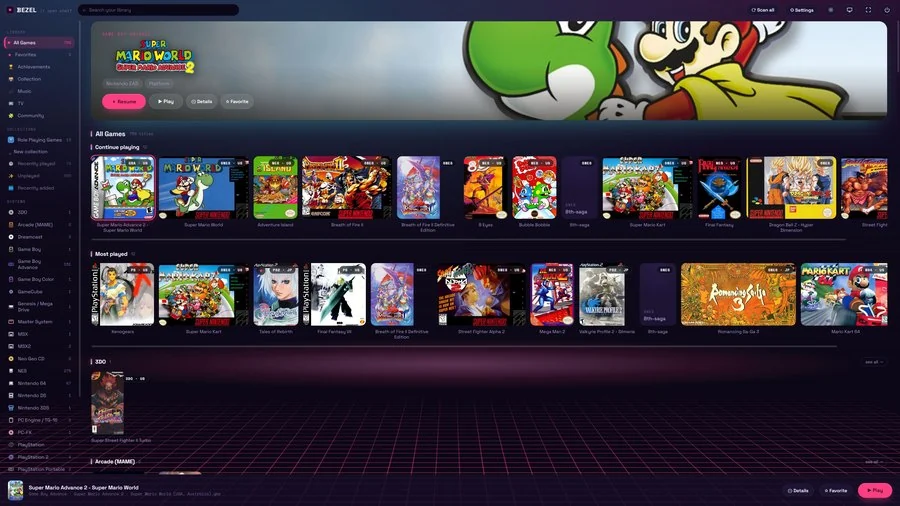
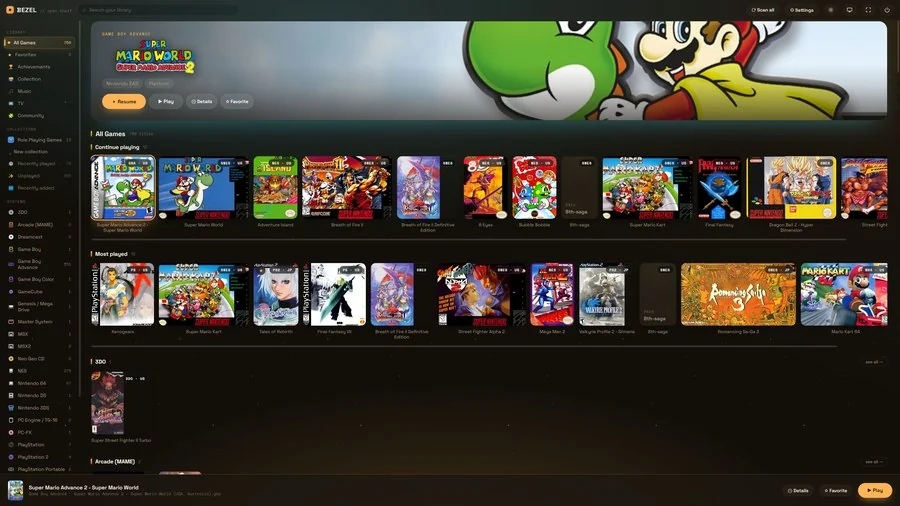
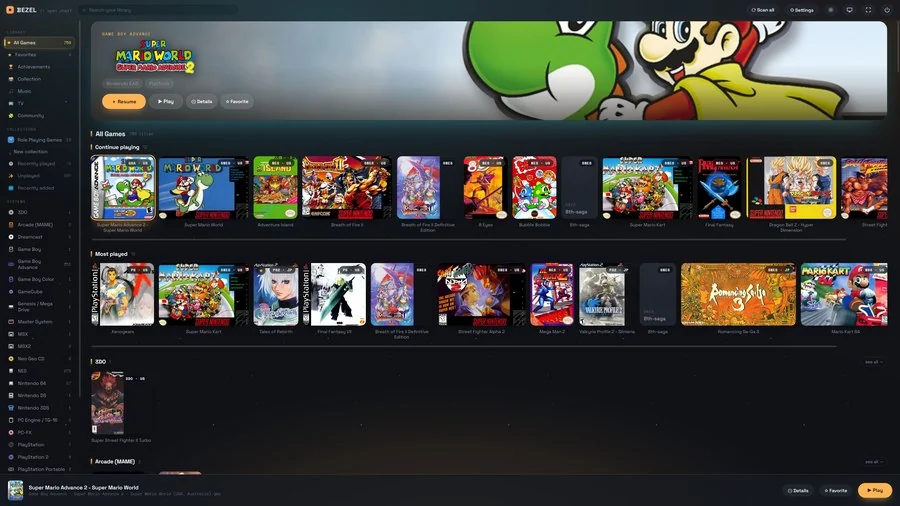
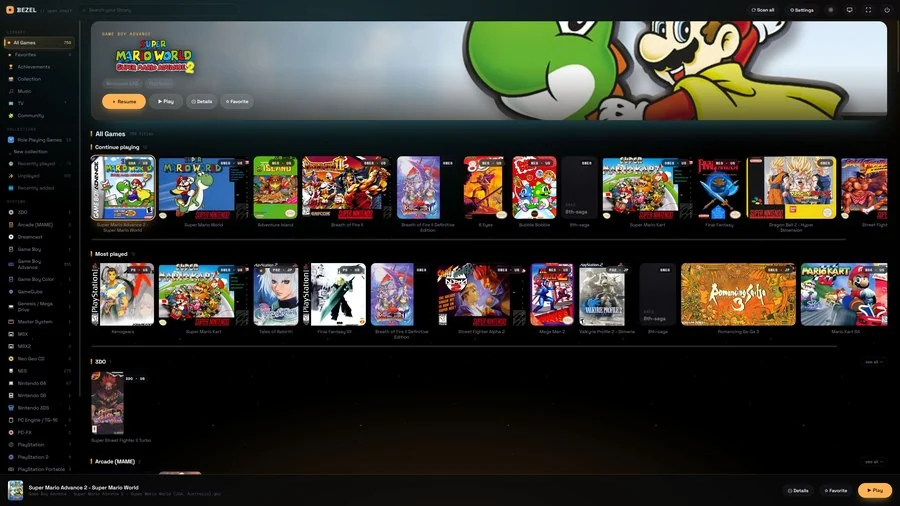
Bezel 0.4 is the prettiest it has ever been — a new flagship theme called Glass, every other theme refined to match — and the first version where your library, your progress and your place in a game travel with you.
Bezel Everywhere
Favorites, playtime, collections and per-game settings sync between your PC, Steam Deck and Mac through the cloud folder you already use. No account, no server — and an hour on each device adds up to two.
Continue anywhere
Quit on the PC, pick up the Deck. Bezel knows where you left off — “left off on DESKTOP, 20 min ago” — and waits for your newest save to arrive instead of loading an older one.
Ask your library
Search by what you mean: “two player fighting game”, “something like Breath of Fire II”, “favorites I never played”. Every game also gets More like this. It all runs on your own machine.
Previews, without playing
One click gives a whole system gameplay previews: Bezel boots each game quietly in the background and records a real clip for its tile — no launching every game yourself.
Five things you won’t get anywhere else.
Every other launcher is a shelf. This one is free on every machine you own, fills itself with your games’ own music, and has somebody living in it.
Free, with nothing held back
The whole launcher is free — every system, every feature, couch mode included. No licence to unlock full screen, no premium tier for the shelf. Bezelie’s deeper AI mind is the one optional subscription — she still greets you, speaks and reacts without it.
Every machine you own
Windows, macOS, Linux and Steam Deck from the same free download — not a Windows-only app with the other platforms on a wishlist. Your shelf looks the same on the desk and on the couch.
Your games’ own music, free
Bezel records each game’s soundtrack straight from the emulator, out of the games you already own — one click does a whole system. Select a game and its theme fades in while you browse. Everywhere else you buy a media subscription or hunt down soundtrack packs by hand.
Real discs, and imports you can read
Put a disc you own in the drive and Bezel rips it to a playable file, cover and all. Playing a Japanese release? A live overlay translates the screen while you play, so the import shelf stops being a museum.
Somebody in the room
No other launcher has this. Bezelie watches the screen, reacts to what actually happens, remembers your runs across evenings and will take the second controller when you’re stuck. A shelf can’t be glad you’re back.
She’s not a menu. She’s someone who’s glad you’re back.
Bezelie is a fully-voiced AI companion who lives inside Bezel — part hype crew, part backseat gamer, part friend who never leaves the couch. Switch her on and your library stops being a file browser and starts being a place someone lives.

The moment you open Bezel she’s there — silver-haired, a little smug, genuinely happy you showed up. Boot a game and she settles in beside it. Beat a boss and she loses her mind. Come back after a week away and she’ll tell you exactly how long it’s been.
She runs on the same vision and language models as the rest of Bezel, wrapped in a personality that remembers, reacts, and grows — so no two people end up with quite the same Bezelie.
She watches, and reacts
Bezelie sees your screen in real time and commentates out loud — hyping a clutch play, groaning at a cheap death, clocking exactly which boss just wrecked you. Your own colour commentator, live.
She talks — and listens
She speaks in her own built-in voice (free — or bring your own ElevenLabs voice), and you can just talk back. Hold a button and ask her anything: about the game, the lore, or nothing at all.
A mind that grows
She keeps memories, a diary of who she’s becoming, moods, opinions and a bond that deepens the more you play — and her whole self saves to one portable “soul” file that survives a reinstall or moves to a new PC.
She can play, too
Stuck on a part? Bezelie can take the controller. She learns your games, practises on her own, studies how the best players do it, and drives — so you can watch her cook, or just take a breather.
Make her yours
Pick her personality — teasing tsundere, sweet, or write your own — tune her look, her voice and how chatty she is. She’s your companion, shaped exactly how you like her.
She keeps the good bits
Switch on instant replay and Bezelie saves your best moments herself — the boss you finally beat, the rare unlock — and writes a ready-to-post caption beside each one. A highlight reel that builds itself while you play.
A launcher is only as good as the line behind it. Providers shape big transfers and live video — the two things Bezel leans on hardest. Netplay drops you into a session with someone three time zones out, the TV pulls from services that decide what you may watch by where you appear to be, and a Deck sees hotel wifi as often as your own. One tunnel fixes the lot.

Watch Bezel in action.
A quick look at the shelf, TV mode, real-disc play and live translation — all in one launcher.
Built for the couch, the desk, and the shelf.
One app for playing, watching, listening and keeping track of everything you own — all of it driven by the controller.
Lean back. It’s a console now.
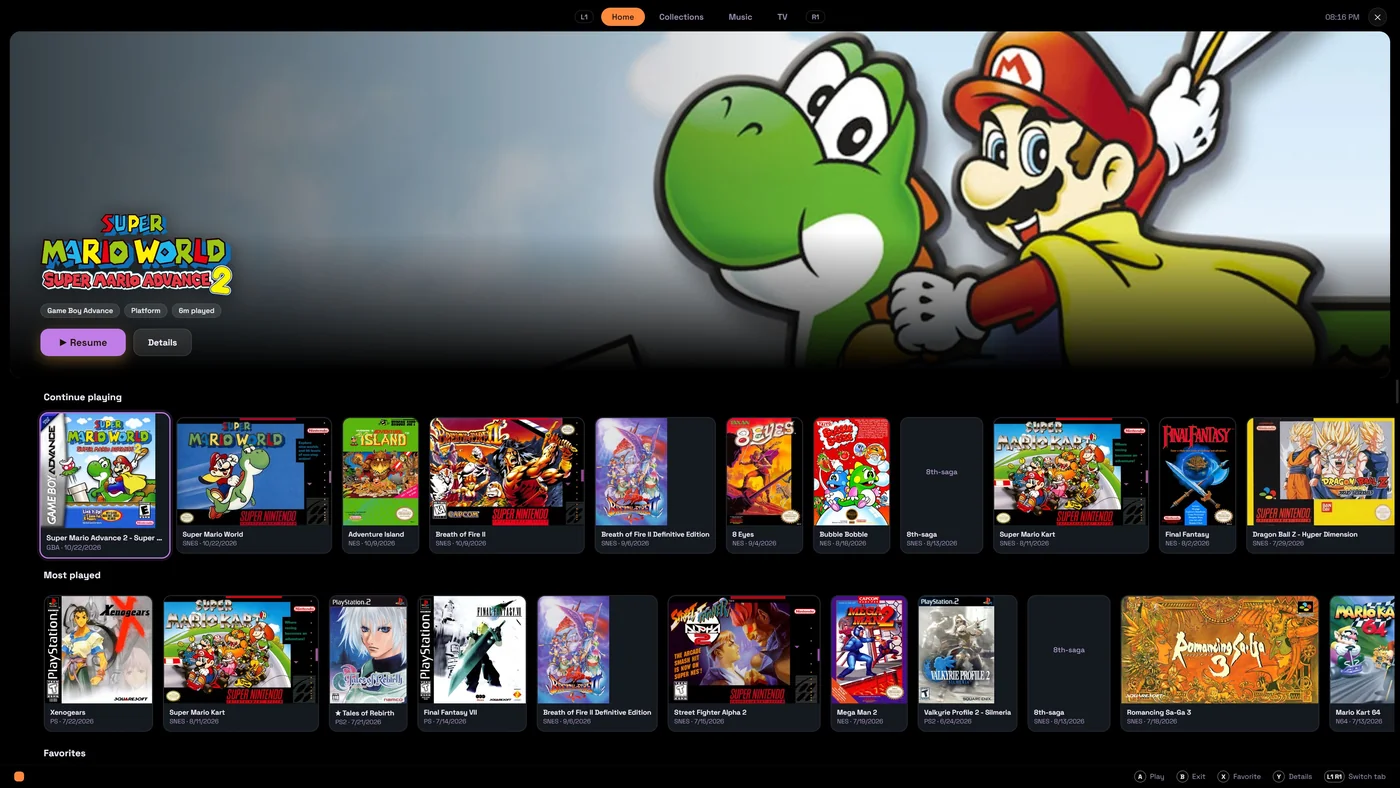
One button takes Bezel full-screen and big-picture: a cinematic hero for the game in focus over shelves of cover art — Continue playing, Most played, your collections and every system. Picking tonight’s game feels like flipping through a shelf, not a file manager.
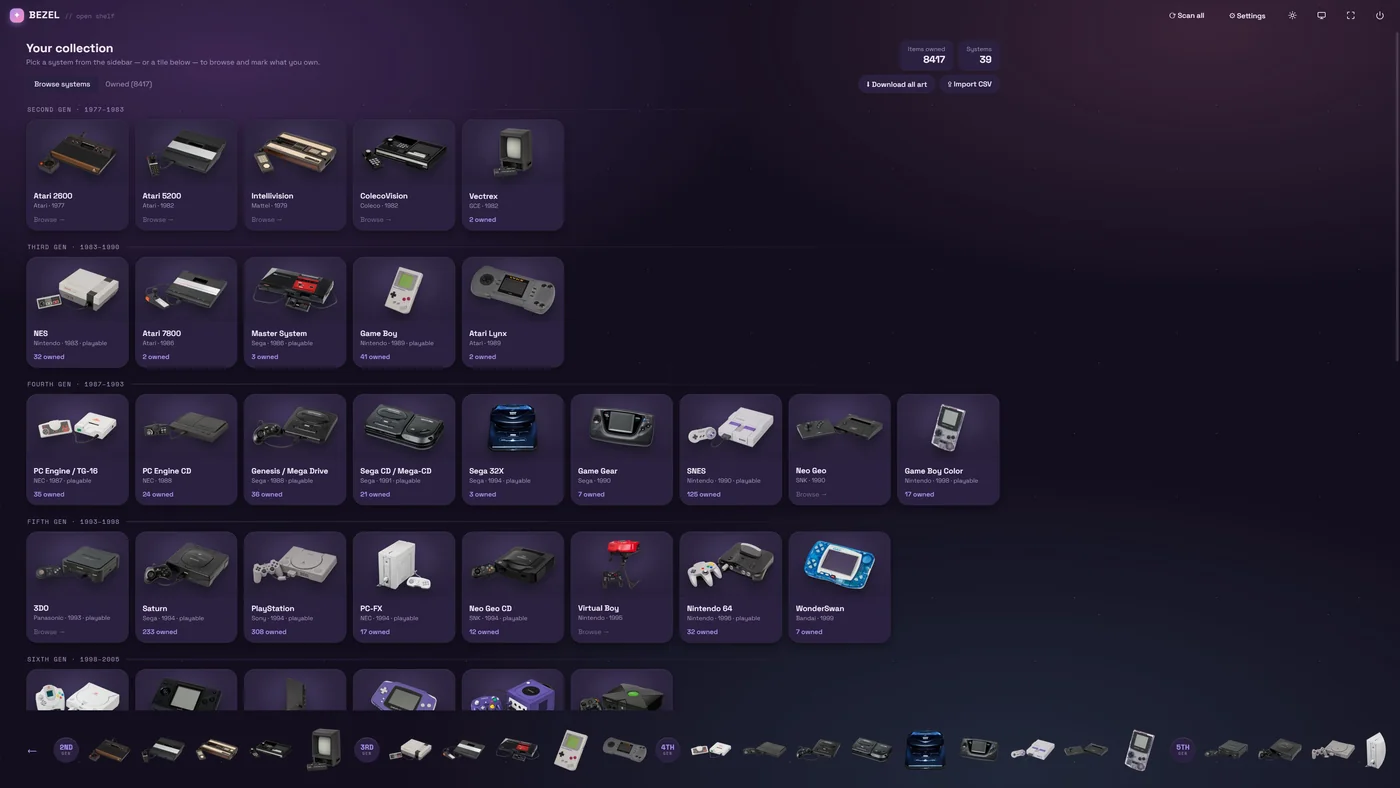
Every console you own, on one wall.
Collection lays out every system by generation, with real product shots of the hardware and a count of what you own. Mark games as owned, import a spreadsheet, or pull every cover in one go — Bezel becomes the catalogue of your physical shelf, too.
Your library, with the soundtrack.
Select a game and its theme fades in — Bezel captures each game’s own music straight from the emulator and loops it as you browse. It’s the only frontend that generates game music for free: one click does a whole system. Bring your own albums too, rip audio CDs, and hit Surprise me.
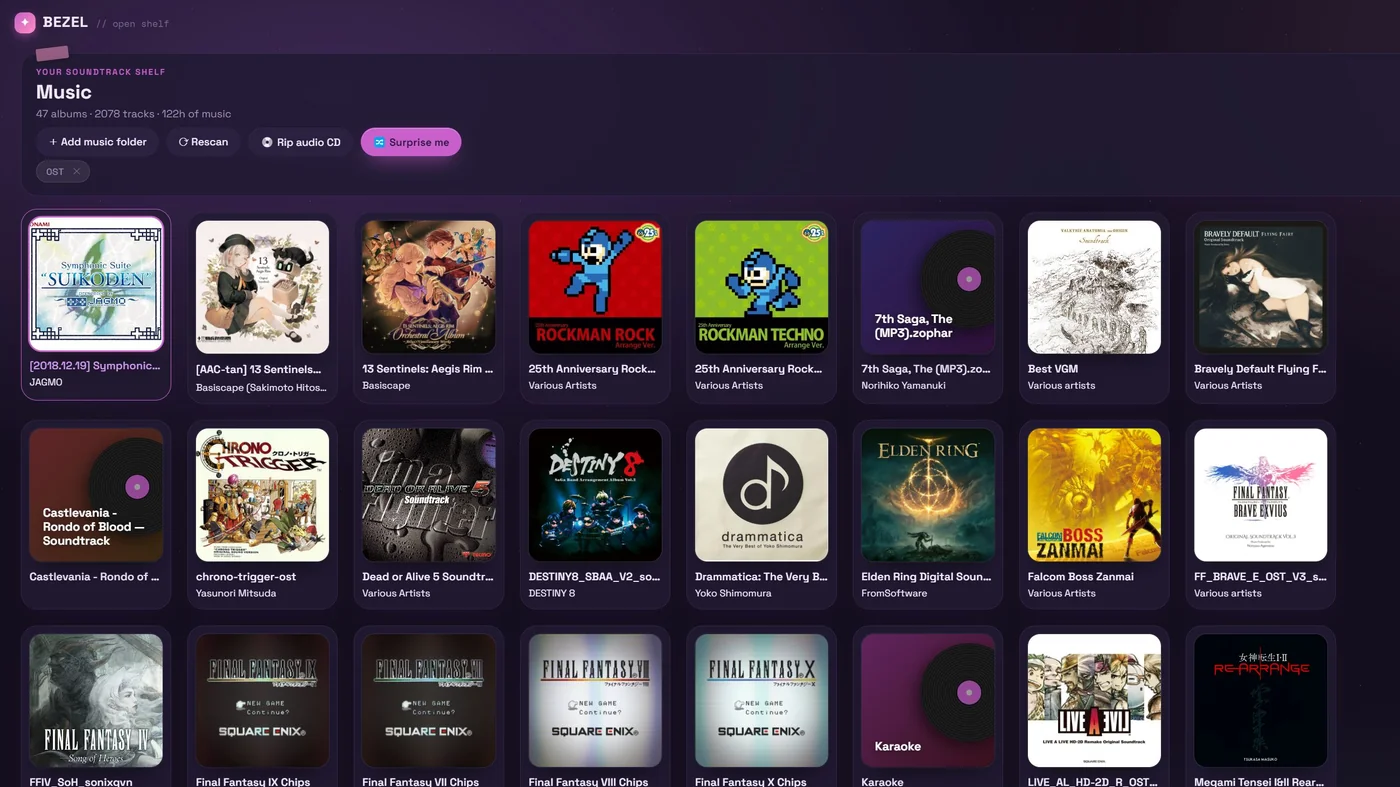
Walkthroughs, streams and radio, built in.
YouTube and Twitch live inside Bezel, driven by the controller, with ads blocked and video ads skipped. Every game you’ve played gets one-click Walkthrough, Longplay and Speedrun searches — and pin any video and it follows you into the game, floating in the corner while you play.
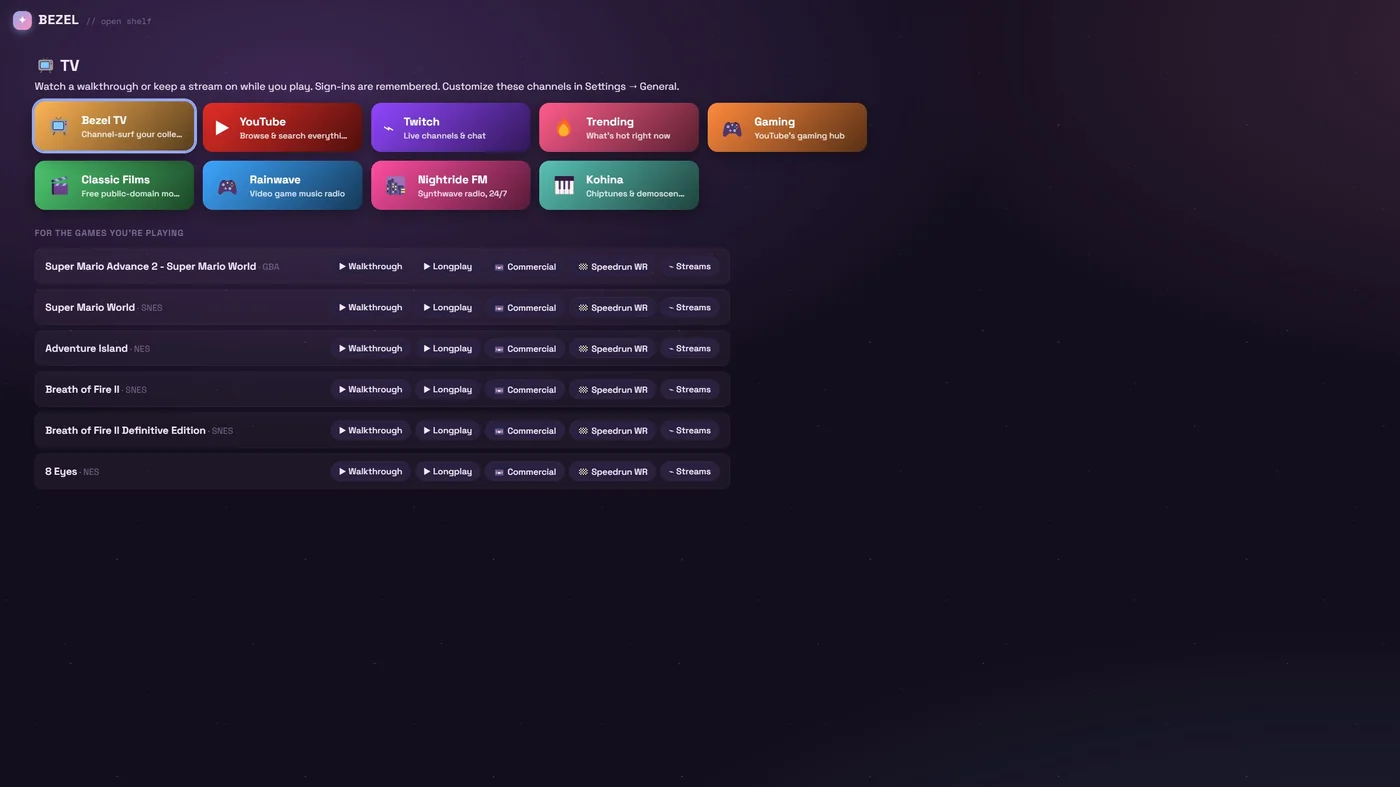
Earn achievements. Track every unlock.
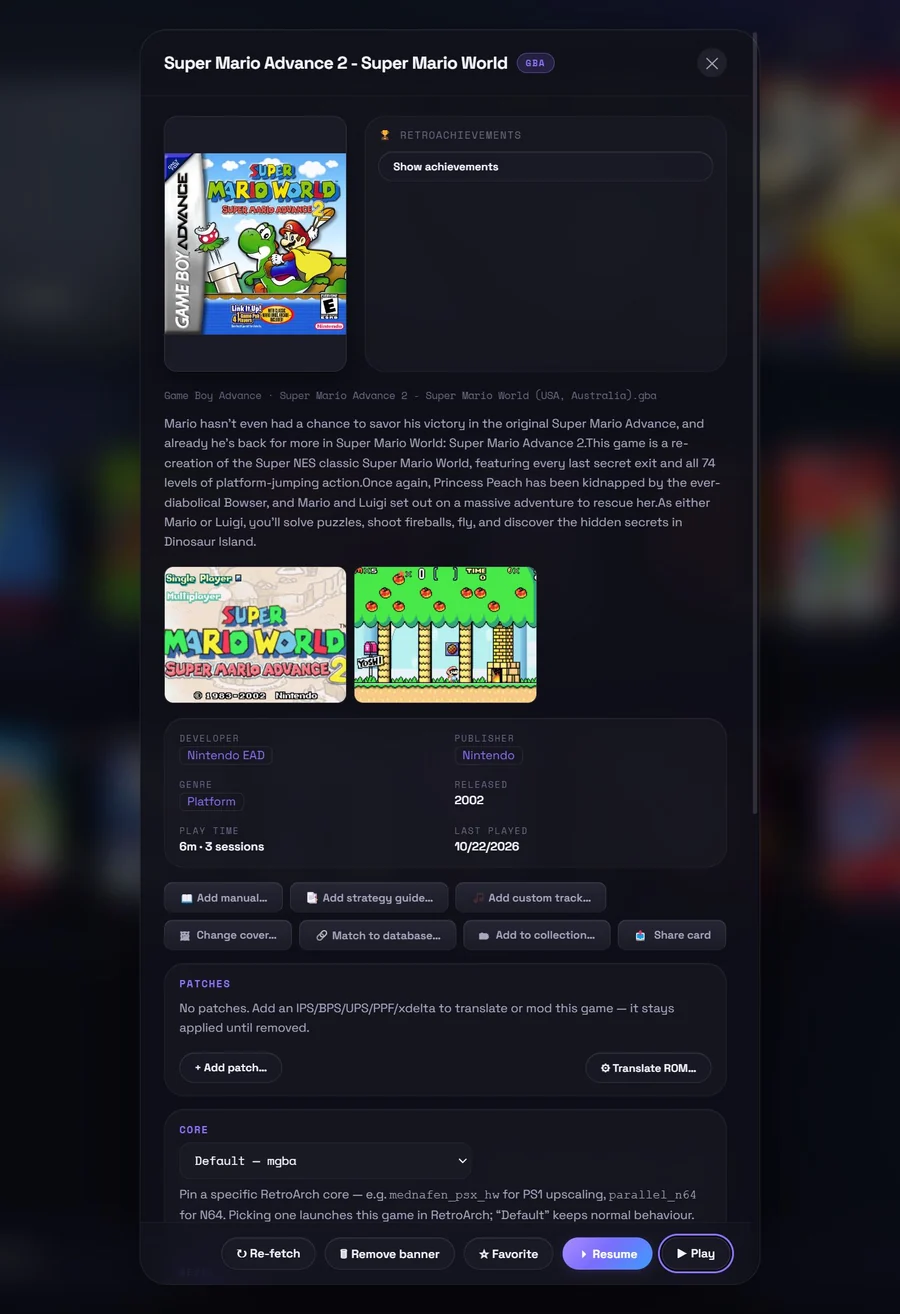
Sign in with your RetroAchievements account and earn achievements as you play — with on-screen unlock pops and an optional hardcore mode. Your profile, recent unlocks and per-game progress live right inside Bezel, and every game lists its full set in its details.
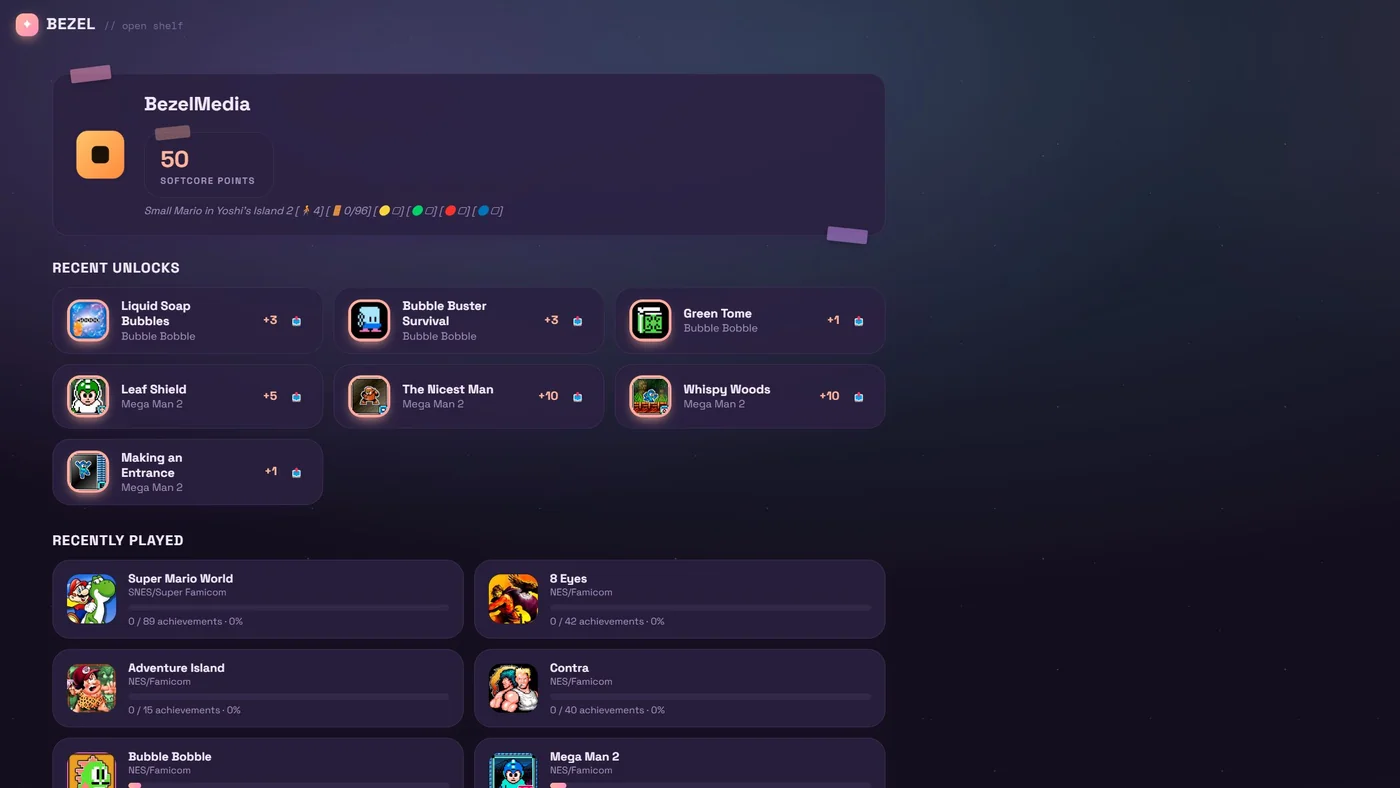
Everything a collection deserves, nothing it doesn’t.
A clean-room launcher built for people who actually care about their library — fast, private, and beautiful by default.
Bezelie, your companion
A fully-voiced AI friend who watches you play, reacts out loud, talks and listens, remembers your runs, grows a personality of her own — and can even play for you. Meet her →
Own the disc? Play it.
Slot a real PS1, Sega CD, Saturn or 3DO disc into your PC and play it straight off the drive — no ripping — or rip it to a clean single-file .chd, auto-matched to art and details.
Offline metadata
Tens of thousands of games come pre-catalogued with box art, descriptions, genres and developers — fully offline. No API keys, no scraping, no waiting.
Browse beyond what you own
See the full catalogue for each system, filter by region (NTSC / PAL / JPN), genre, or developer, and discover what’s missing from your shelf.
Play your way
Launch instantly with built-in cores, or hand off to RetroArch — installed for you on first run — with per-game cores, bezels and patches. Multi-disc games just work.
RetroAchievements
Earn achievements in RetroArch with on-screen unlock pops and a hardcore mode, and track your profile, recent unlocks and per-game progress right inside Bezel.
Collections
Group games into custom collections with auto cover-mosaic art (or pick an icon & colour), plus smart lists like Unplayed, Recently played and Recently added.
Community
One-click themes, TV channel packs and bezel frames made by the community — with live previews, right inside the app. Make your Bezel yours, then share a snapshot of your shelf.
On-screen translation
A hands-free overlay auto-translates Japanese-only games in real time, so import classics finally make sense.
Patches & your own translations
Apply fan-translation and improvement patches per game, automatically — or build your own: the script tool finds a game’s text and font, adds Latin letters and exports a BPS patch. Your originals stay untouched.
Manuals & strategy guides
Attach the original manual or a strategy guide to any game and read it right inside Bezel.
Custom bezels & overlays
Frame every system with authentic bezels and overlays for a true-to-hardware look on a modern screen.
Everywhere: saves & library
Point Bezel at a synced folder — Google Drive, Dropbox, anything — and your saves, states, favorites, playtime and collections follow you across every device. No account.
Yours, and private
Free, no account, no telemetry. Your library lives on your machine. Bezel just makes it beautiful.
From folder of files to a real shelf in minutes.
Point it at your games
Drop your ROMs and discs into folders by system. Bezel scans them in seconds.
Watch it come alive
Each game is matched to art, descriptions and details from the built-in offline database.
Press play
Browse, pick a game, and go — in-app or in RetroArch, with saves synced to the cloud.
Now in Beta.
Bezel is a free, clean-room launcher for Windows, Mac, Steam Deck and Linux, built for people who love their retro collections — now with Bezelie, an AI companion who lives in the app and plays along. The goal is simple: turn every console you own into one beautiful, modern shelf, with someone to share it with.
It’s offline-first and private by design — your library lives on your own machine, with no account and no tracking. And it’s strictly clean-room: Bezel ships zero copyrighted games or BIOS. You bring your own files; Bezel makes them shine.
The Beta is available now on GitHub — give it a try, file feedback, and if you’d like to help it grow, support development on Ko-fi. (The Mac build is a brand-new, experimental release for Apple Silicon.)
Good to know.
Bezelie · the companion
What is Bezelie?
Bezelie is a fully-voiced AI companion who lives inside Bezel. She watches your screen and reacts out loud, talks and listens (hold a button and just speak to her), remembers your sessions, forms moods and opinions, and grows a personality over time. She can even take the controller and play. She’s completely optional — one toggle turns her on or off.
Does she cost anything?
She has a free tier — her built-in voice and live reactions. Her deeper “mind” (persistent memory, chat, a bond that grows, richer commentary) runs on AI models that cost real money, so those are an optional Premium. Full details on the Pricing page.
Do I need an API key or an account for her?
Her built-in voice is free and needs nothing. Her on-screen commentary and chat use an AI model — on the free tier you plug in your own API key; Premium includes it for you. No account is needed to use Bezel itself.
Is her voice really her own?
Yes — Bezelie ships with her own baked voice at no cost. Prefer another? Bring your own ElevenLabs voice and she’ll speak in that everywhere. The speech recognition for talking to her runs locally on your machine.
Can I change her personality and look?
Absolutely. Choose a persona (a teasing tsundere by default, sweet, or write your own), tune her voice and how chatty she is, and adjust her on-screen size and framing. You can also export her whole self — memories, personality, voice — to one portable “soul” file and carry her to another PC.
Can she save my best moments?
Yes. Turn on Instant replay in Settings and Bezel keeps the last minute of play buffered while a game runs; Bezelie can then clip the good bits herself — a boss you finally beat, a rare achievement — and write a ready-to-post caption beside each clip. Clips land in Videos › Bezel Clips with game audio and her commentary included. It’s off by default, and nothing ever uploads by itself.
Getting started
Is Bezel really free?
Yes — the launcher, all 25+ systems and your whole library are free, with no account and no telemetry. Bezelie the companion has a generous free tier too (her built-in voice and reactions); her deeper mind features are an optional Premium that helps cover the AI that powers them. See Pricing.
How do I install it?
Windows: download the latest Setup.exe from GitHub Releases and run it. It isn’t code-signed yet, so Windows SmartScreen may warn you — click “More info → Run anyway”. Steam Deck / Linux: download Bezel-x86_64.AppImage, mark it executable (right-click → Properties → Permissions), and run it — then press Add Bezel to Steam in Settings and it shows up in Game Mode with artwork, ready to play. Mac (Apple Silicon): download the .dmg, drag Bezel to Applications, then right-click the app → Open the first time (it isn’t notarized yet, so a normal double-click is blocked). The Mac build is brand-new and experimental — expect rough edges.
What do I need to run it?
Windows 10 or 11 (64-bit), a Steam Deck / 64-bit Linux with Flatpak (SteamOS has it built in), or a Mac with Apple Silicon (M1 or newer). The first launch downloads RetroArch (~200 MB) and pulls box art as you browse, so an internet connection helps at the start — after that Bezel works offline. The whole game database is built in.
Does it come with games or BIOS?
No. Bezel is the shelf, not the games — it ships zero copyrighted ROMs or BIOS. You bring your own legally-obtained files; Bezel organises, decorates and launches them.
Your games & files
Which systems are supported?
Over 20 — Nintendo (NES, SNES, N64, GameCube, Wii, Game Boy/Color/Advance, DS, 3DS), Sega (Master System, Genesis/32X, Sega CD, Saturn, Dreamcast), Sony (PlayStation, PS2, PSP), NEC (PC Engine/CD, PC-FX), plus Neo Geo CD, 3DO, MSX/MSX2, Sharp X68000, Arcade (MAME) and GOG — with more over time.
What file formats can I use?
Cartridge ROMs in their native formats (.nes, .sfc, .gba, .n64, and so on) and disc images — .chd is recommended, with .cue/.bin, .iso and .pbp also supported. Multi-disc games are grouped with an .m3u playlist.
How does Bezel know what my games are?
It identifies each file by hash against a built-in offline database (No-Intro for cartridges, Redump for discs), so it gets the real title and matching art with no scraping and no API keys. Mis-named files still resolve. Power users can drop their own No-Intro / Redump / MAME DATs in the DAT folder to override.
Where do my games, saves and data live?
Under Documents\Bezel by default — separate folders for ROMs, BIOS, saves, patches, manuals and more — and every path is changeable in Settings. Uninstalling cleans up Bezel’s app data and leaves your game/save folders alone.
Playing
In-app or RetroArch — what’s the difference?
Most cartridge and handheld systems play instantly in-app with built-in cores — nothing to set up. Disc-based and heavy-3D systems (PS2, PSP, GameCube, 3DS, Saturn, Dreamcast…) hand off to RetroArch, which Bezel installs for you on first run and whose cores it downloads per system as needed.
Do I need to install RetroArch myself?
No. Bezel downloads the official RetroArch from libretro on first run (on Steam Deck / Linux it installs the official Flatpak) and configures it for you. Already have RetroArch? Point Bezel at it in Settings and it’ll use yours instead.
Can I use a controller?
Yes — Bezel is controller-first throughout. Controllers are auto-detected; Up + Start opens the in-game menu for the built-in app cores, L3 + R3 opens it in RetroArch, and your RetroArch tuning carries over to the built-in copy.
What about BIOS files?
Some systems (PlayStation, PS2, Sega CD, Saturn, Neo Geo CD, 3DO and others) need a BIOS, which you must supply. Drop your BIOS files in the BIOS folder and Bezel hands the right ones to the emulator automatically.
Can my library follow me between devices?
Yes — that’s Bezel Everywhere. Turn on library sync in Settings → Folders (it uses the same cloud folder as your saves) and favorites, playtime, last played, collections and per-game settings stay in step across your PC, Steam Deck and Mac. There’s no account and no server: each device writes its own file into your folder, so cloud apps never produce “conflicted copies”. Pick a game up on another device and Bezel shows where you left off and waits until your newest save has arrived.
How do save states & cloud sync work?
In-app and RetroArch games both support save states and resume. Point Bezel at a folder kept synced by Google Drive, Dropbox, OneDrive or a NAS, and your saves and states sync across every device that uses the same folder.
Discs & media
Can I play straight from a disc?
Yes — slot a PlayStation, Sega CD, Saturn or 3DO disc into your PC and play it right off the drive, no ripping required. It needs that system’s BIOS and a CD-capable core, which Bezel downloads automatically.
Can I rip my own discs?
Yes. Bezel rips your physical discs into a clean, single-file .chd, files it into your library, and matches it to box art and details — so your physical collection lives right alongside everything else, no disc-swapping required.
Beyond the basics
What’s the on-screen translation?
A live overlay that translates import games as you play — choose a Vision model (reads the whole screen, great for stylised fonts) or OCR → DeepL. It supports one-shot or auto re-translation, a region selector to box just the dialogue, and a per-game glossary so names stay consistent. It uses your own translation API key.
Patches & fan translations?
Apply IPS, BPS, UPS, xdelta or PPF patches per game — fan translations, bug fixes, hacks — without ever modifying your original files. Want to make your own? The script tool reads a game’s text and control codes, dumps whole text boxes, finds its font, adds Latin letters into free font slots and exports your work as a BPS patch.
What is “Ask your library”?
Search by meaning instead of title. Type “cute puzzle game” or “something like Breath of Fire II” into the search box and Bezel finds the games that fit, alongside a More like this row in every game’s Details. It runs entirely on your machine: a small model (about 33 MB) downloads once, only after you switch it on.
Manuals, guides & other emulators?
Attach your own scanned manuals or strategy guides (PDF / CBZ / CBR) and read them in-app. You can also route any system to your own emulator (e.g. Azahar for 3DS), and point Bezel at your GOG folder to shelve those games too.
About & privacy
Is Bezel open source?
No — Bezel is proprietary. The app is distributed as releases on GitHub, but the source code isn’t public.
Is it private?
Yes. Bezel is offline-first with no account and no telemetry — your library lives on your own machine and stays there.
Mac or Linux?
Both are here. Linux includes a full Steam Deck experience with one-click Add to Steam, Game Mode support and in-place auto-updates. Mac (Apple Silicon) is a brand-new, experimental build — it downloads RetroArch on first run just like the other platforms; since it isn’t notarized yet, right-click → Open the first time. Expect rough edges while it matures.
Is this legal?
Bezel is a strictly clean-room launcher: it includes and distributes no copyrighted games or BIOS. You supply your own files and are responsible for owning the rights to use them. Console and game names are trademarks of their respective owners.
Bezel is an independent, clean-room project. It does not include, distribute, or link to copyrighted game files or BIOS images. Console and game names are trademarks of their respective owners, used here for identification only. © 2026 Bezel.